Automatic Unit or Building setup
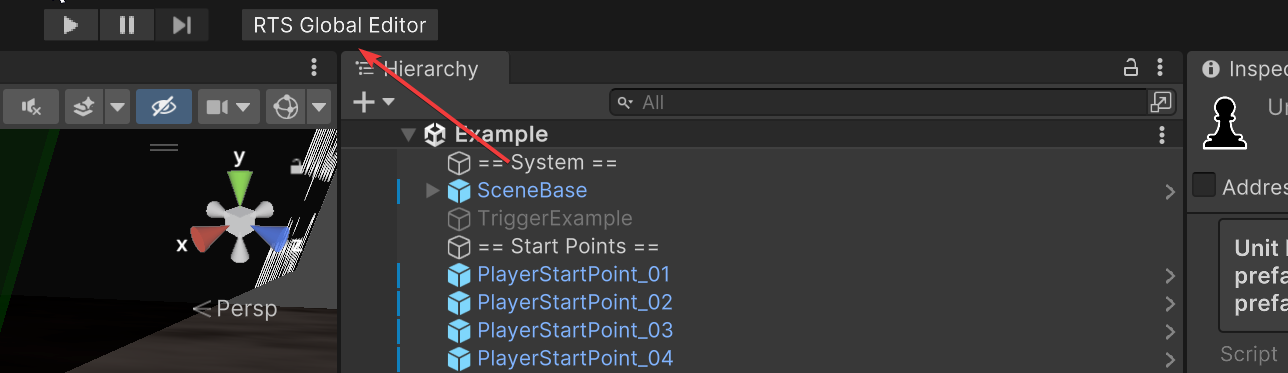
The asset provides tooling to set up units semi-automatically. It can be done using the Units tab of the Global Editor. Open this window by clicking Top menu -> RTS Global Editor:
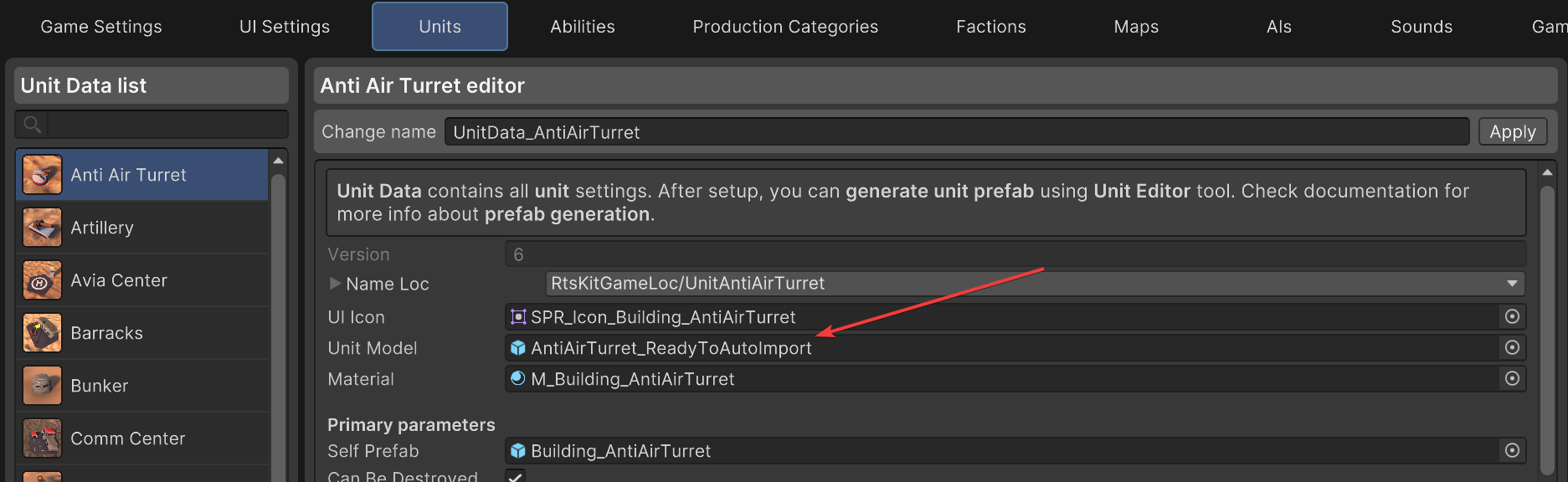
In the opened window, select the needed unit (if you need to create a new unit, click the Create new unit button. You can also clone another unit by selecting it and clicking the Clone button). Set up all parameters as you need, and don’t forget to fill the Unit Model field with your unit’s model from the assets:
Finally, you need to click the Generate unit prefab button in the right part of the window. After clicking it, the created unit prefab will be spawned in the scene and saved in the Prefabs/Units folder. Most of its settings will be automatically configured.
But there are some params which you may be required to set up manually:
Parameter |
Description |
|---|---|
Unit material |
Unit material should display house (player) color (read the next partitions for more info). |
Model bones |
Bones allows to setup unit automatically. Read partition below for more info |
Other settings can be adjusted manually too, if you want.
Using bones for auto-setup
An important thing is the auto-setup of the model and bones.
First, your model will be rotated properly only if its pivot is right for Unity (the Z-axis is the forward axis of your unit model).
Second, you can add several bones (empty objects or model parts) to your model, which will speed up the setup of the unit. Their names should start with a special prefix. These prefixes are listed below:
Bone prefix |
Description |
|---|---|
rts_wheel_ |
if a unit has wheels, name its bones like this, it will be automatically used by scripts. |
rts_shoot_ |
points from which bullets will be shot by the unit. In most cases, you need only one shoot point. |
rts_turret_ |
if your unit has a turret, you need to name its bone like this to allow scripts to automatically find the object to rotate the turret towards enemies. |
rts_gun_ |
optional second rotation axis for a turret’s gun, for units whose gun barrel rotates independently from the turret body. |
rts_spawn_point_ |
used only for production buildings. Means the position where the produced unit will be spawned. |
rts_move_point_ |
used only for production buildings. Means the position the unit will try to move to after it was built by Production. |
rts_carry_out_ |
used only for refinery buildings. Means the position where harvester units will deliver their gathered resources. |
You can find an example model of a unit in the project — just search for the ReadyToAutoImport phrase and choose any asset.
You can choose not to use these namings, but in this case you’ll need to set up all these parameters manually (read the next partitions).
In the future, more bone variations will be added for automatic setup.