Creating and modifying Unit abilities
RTS Starter Kit allows you to create abilities for your units. For example, a change weapon ability, which will allow your infantry to switch weapons from a rifle to a pistol. Or a throw grenade ability, and anything else you want. In a fantasy setting, abilities are usually called spells, so you should get the idea.
You can look at example abilities by searching the project for the Abilities folder — there will be one with scripts, and one with data files.

How a data asset looks:
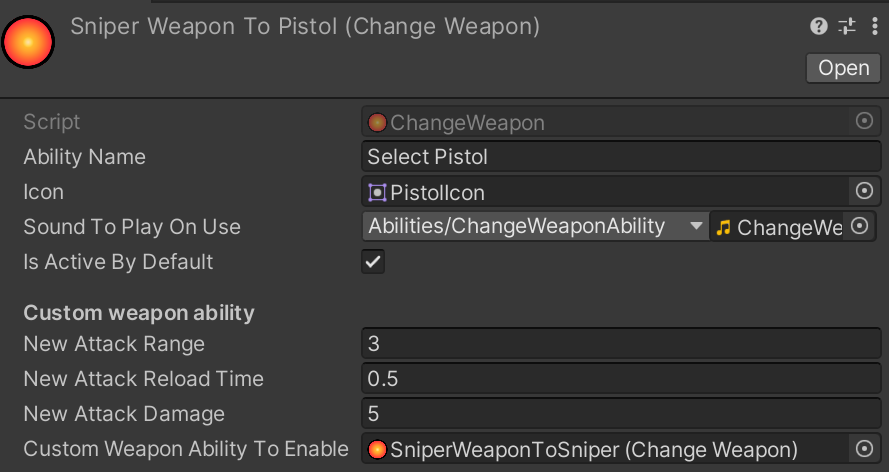
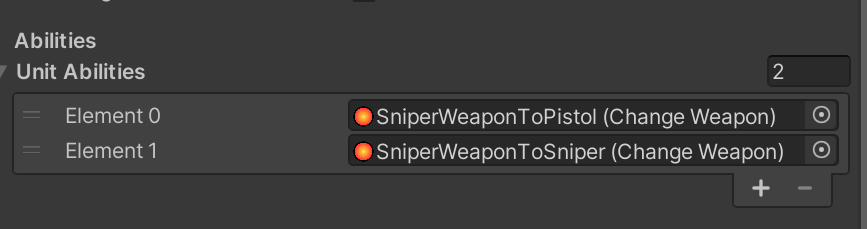
The ability script is the core of any ability. It is designed to be a data file which is automatically handled in the unit’s code if you add it to the UnitData of your unit:
New ability data can be created by right-clicking in the Project Window menu and selecting Create -> RTS Starter Kit -> Abilities -> “NeededAbility”.
There aren’t many ready-made abilities, because our primary target here is to give you the tools to create your own. This can be done by coding a custom data class (deriving from AbilityData) and its matching logic class (deriving from Ability<TData>) — you can see more info about it, with a full example, in the Programming partition. We made the API easy to use, so you should have no problems understanding it.
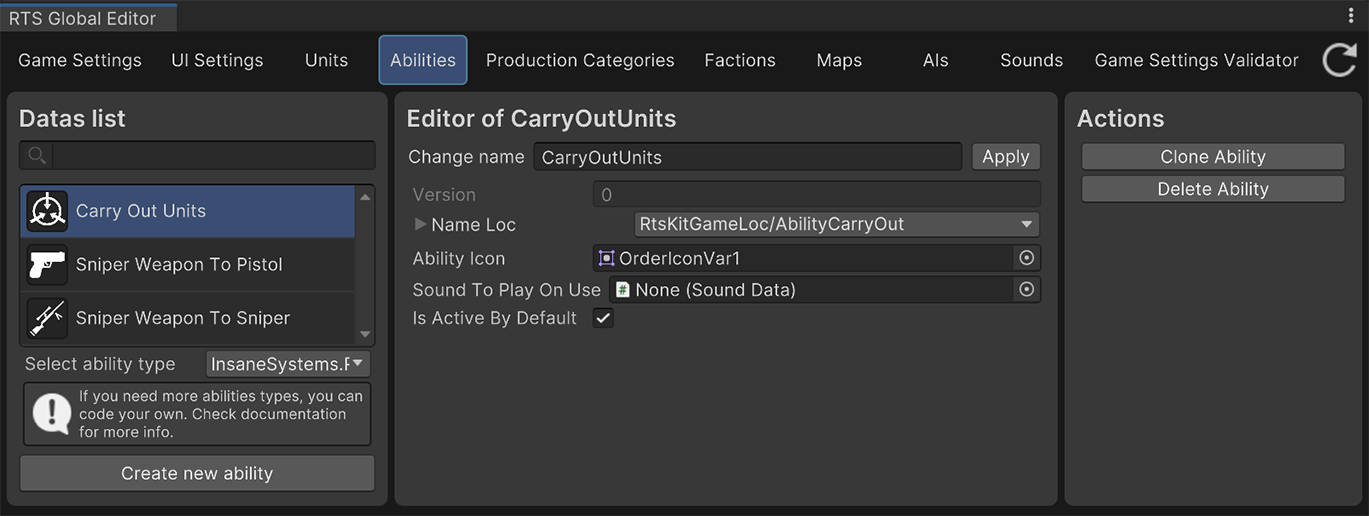
There also exists an Ability Editor window, which can be found at Top menu -> RTS Starter Kit -> Abilities Editor. It can simplify working with your abilities a bit.