Creating an infantry Unit
First of all, you need to set up specific fields in Unit Data, as shown in the screenshots below:
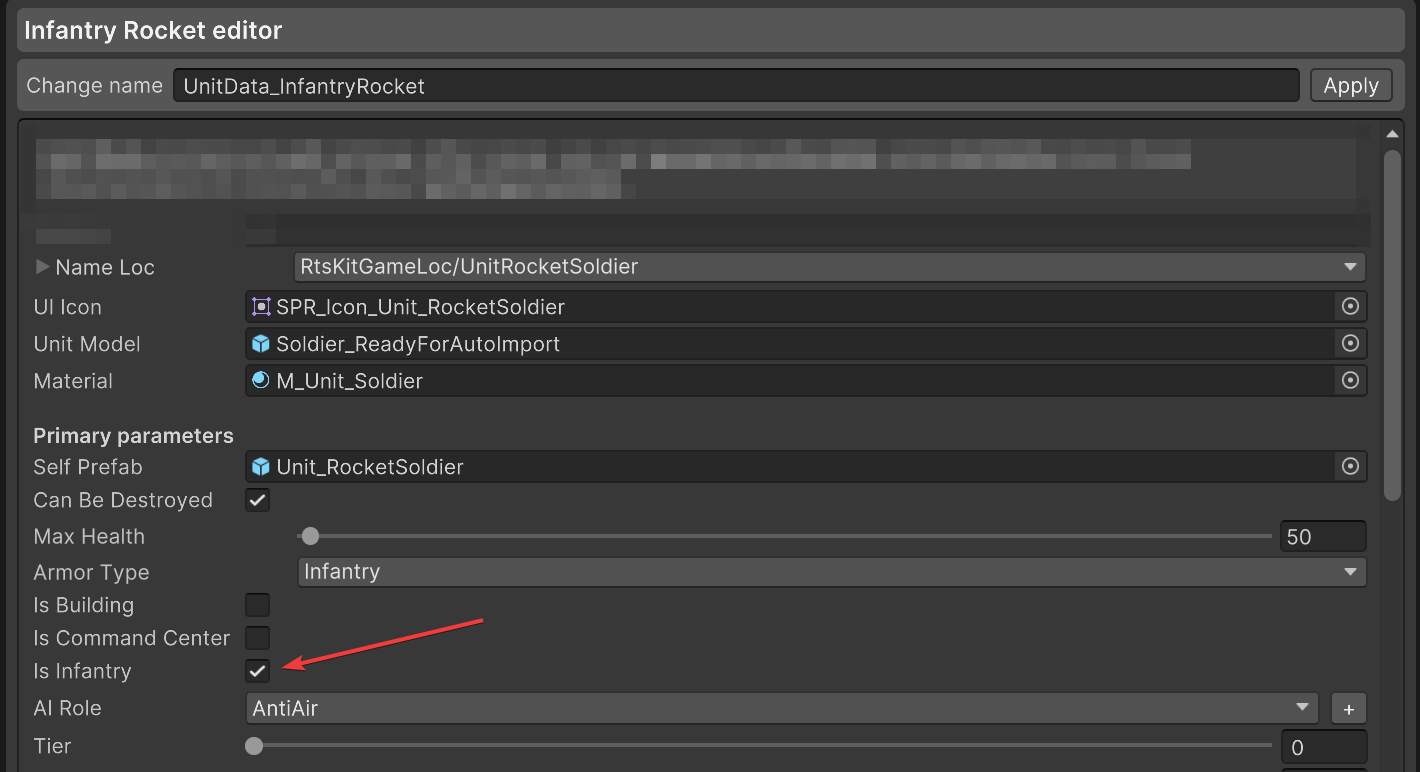
Is Infantry simply marks this unit as infantry.
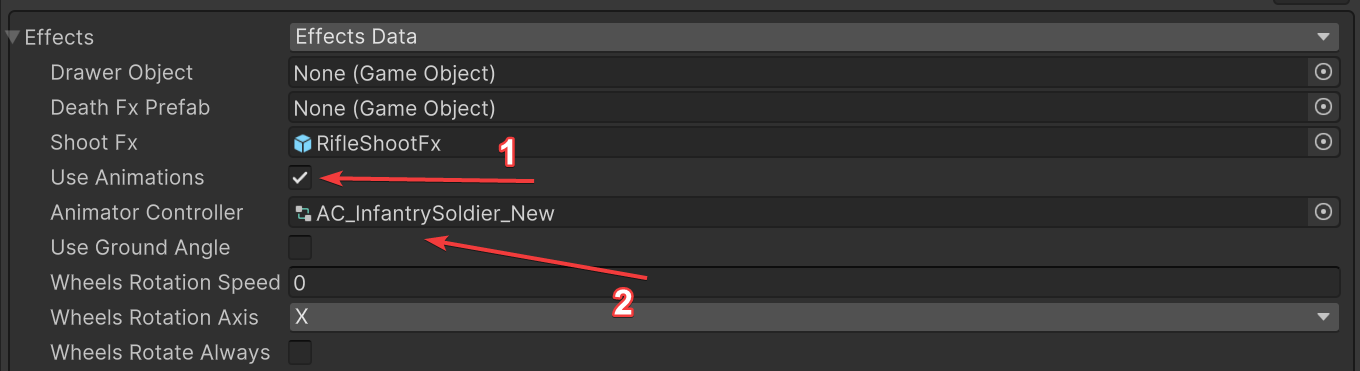
Animator Controller is needed to allow the animated character to play its animations (our asset will set it up in the Animator on the prefab automatically).
Use Animations tells the code that this unit has animations like move, attack, etc.
Now you need to make sure your unit prefab is set up correctly for infantry-specific needs.
An Animator component is required somewhere in the unit prefab’s hierarchy, with the Animator Controller from the previous step assigned to it.This Animator can be found in one of the prefab’s children. If there is none in your model, add it manually:
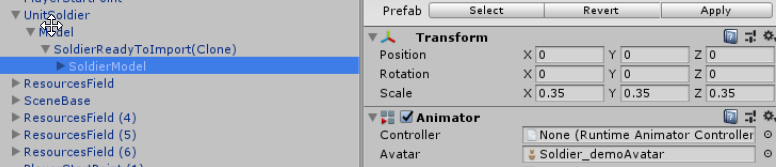
Setting up the animated character model is the same as the default Unity pipeline.
After these things are done, it should work fine and play animations, if you added it to your Animator Controller.
For more info, you can check our asset’s example infantry soldier prefab, animator, etc.