Damage and Armor
RTS Kit includes a tool named Damage Table. This table stores data about all damage and armor types in the game.
Number values in the table are damage scaling coefficients from every damage type to every armor type.
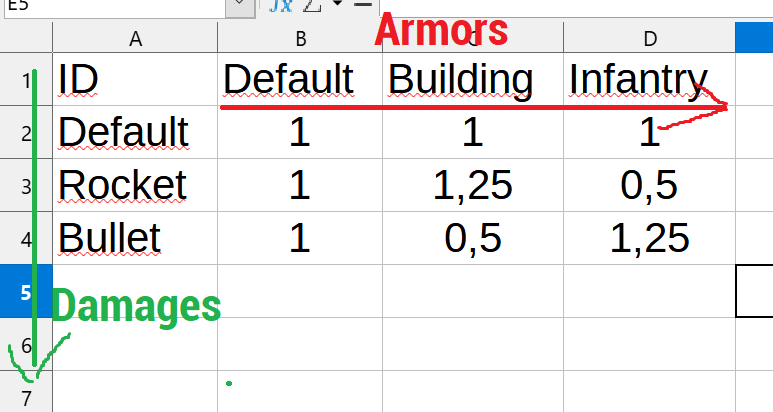
This table file should be stored in Resources/Data folder with name DamageTable.csv.
How to work with Damage Table?
So, you can edit this file in any CSV editor, or even in your IDE/notepad - CSV is a very simple file format. You need to add/edit damage and armor parameters. Armors are columns, damages are rows.
Example:
A value of
1means100%of the base damage — so it does not change damage scale.0.5means that only50%of the base damage will be received.1.2means that120%of the base damage will be received.
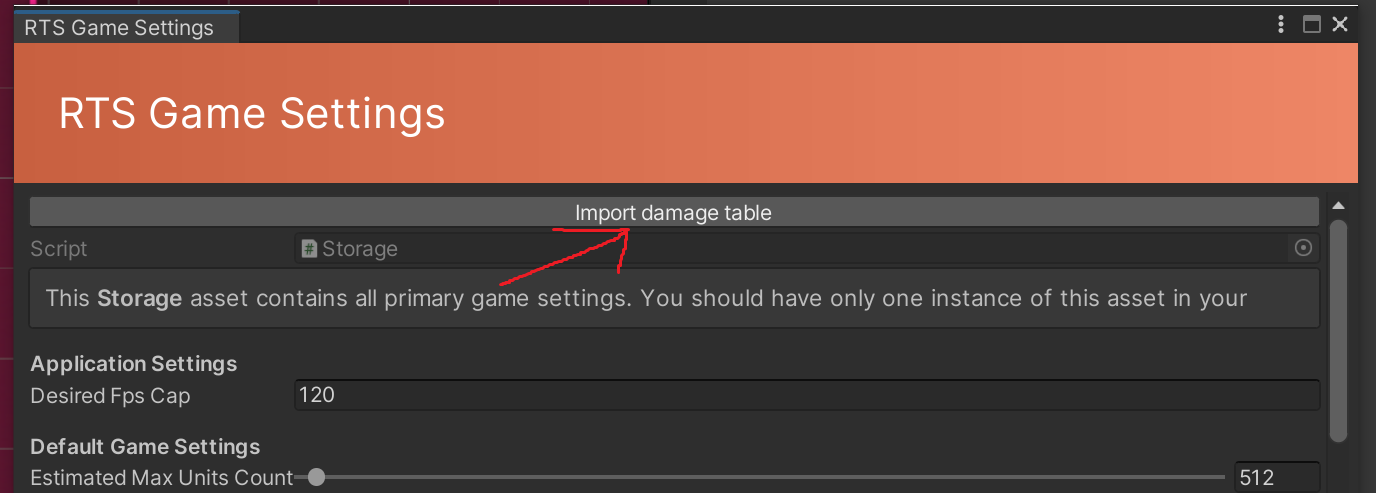
When you’ve finished your balance edits, you need to re-import the Damage Table into the engine by clicking this button in the Game Settings window:
Why is this not set up directly in the engine?
Since this is a balance config only, it can be handy to have it in CSV format:
You can edit it in Google Sheets or even in notepad
You can easily add/remove any armor and damage types
We do not need to support a special custom Editor in Unity, which can break with a new Unity release