Creating a new Building
Same as a usual unit, but set the Is Building toggle to true in the UnitData.
A Nav Mesh Obstacle (with the Carve parameter enabled, for better unit pathfinding) component will be added automatically when the building spawns, and its parameters will be the same as the building’s Physical Size parameters.
Production buildings
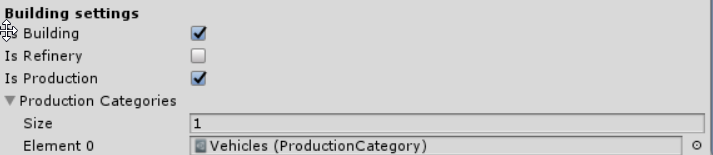
For buildings which should produce units, you need to enable the Is Production toggle in the UnitData and fill in the Production Categories list — the Production module itself is added automatically at runtime, you don’t need to add any component for it:
Building ghost drawer
Buildings have one special feature — building ghost drawer. This is an object which is shown when the player is in Build Mode:
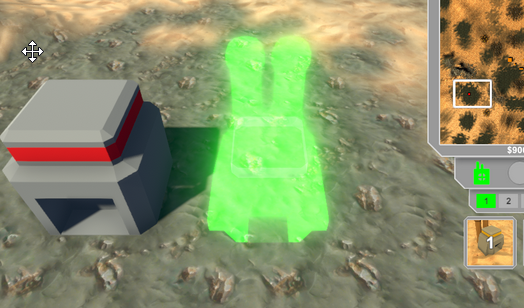
You should set it up for every building which will be available for the player to build. To do this, you need to create an empty object, add a model of the needed building to it, and add the Building Ghost Drawer component to it.
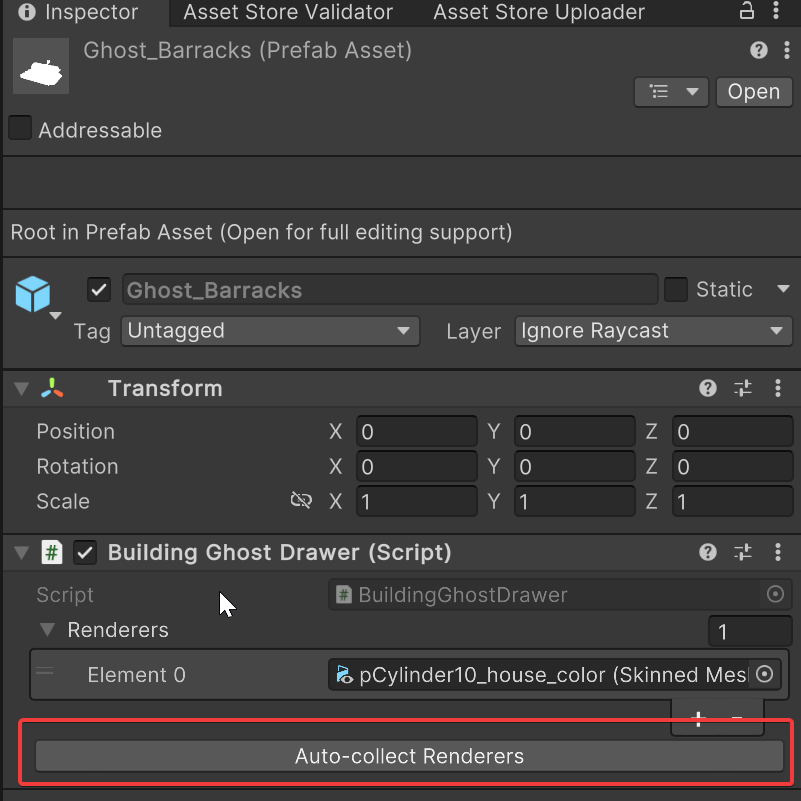
Next, you need to all the meshes of the building model to the Renderers field. It can be done automatically using button from the component:
Finally, it should look like this:
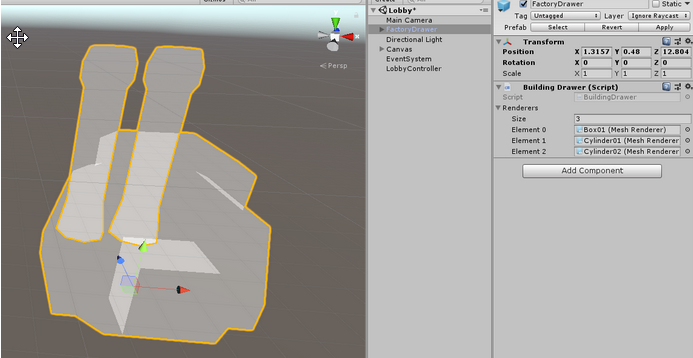
There is a transparent material named M_VFX_Ghost_Building — you can find it in the ExtraResources folder and add it to every mesh of the drawer. You can also use your own material with a different effect.