Creating a new Resource
To set up a new resource, you need to create a ResourceData asset in the Project Manager window:
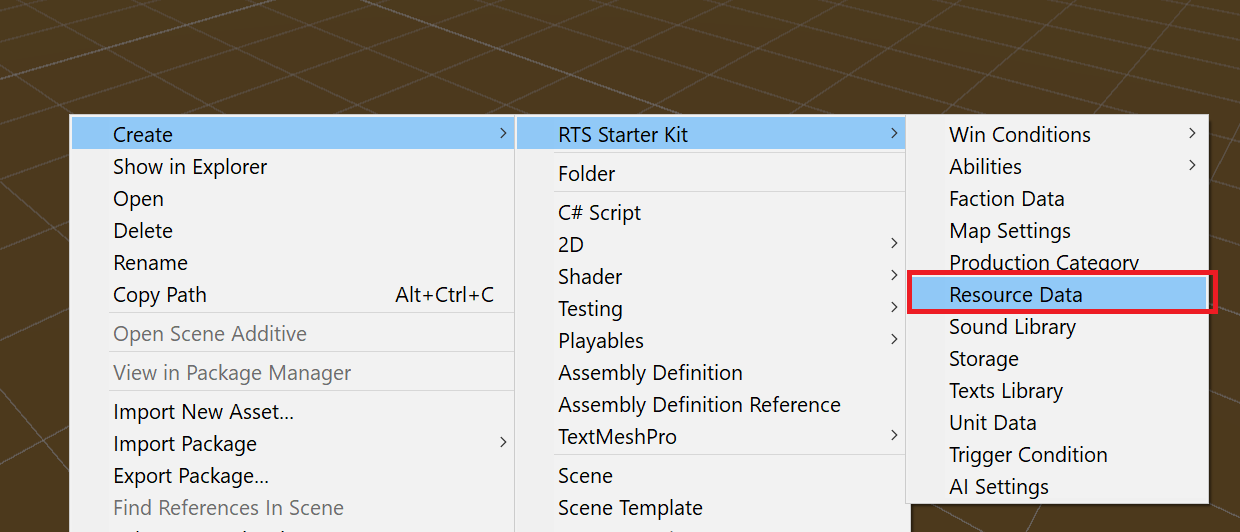
In this data, you can set up the text Id and Icon fields.
Warning
Currently, these fields are not used by the asset, but you can use them from your own code for UI and other purposes. Future asset versions will introduce a more feature-packed Multi-resources system.
After this, you need to add the new resource to the Game Settings:
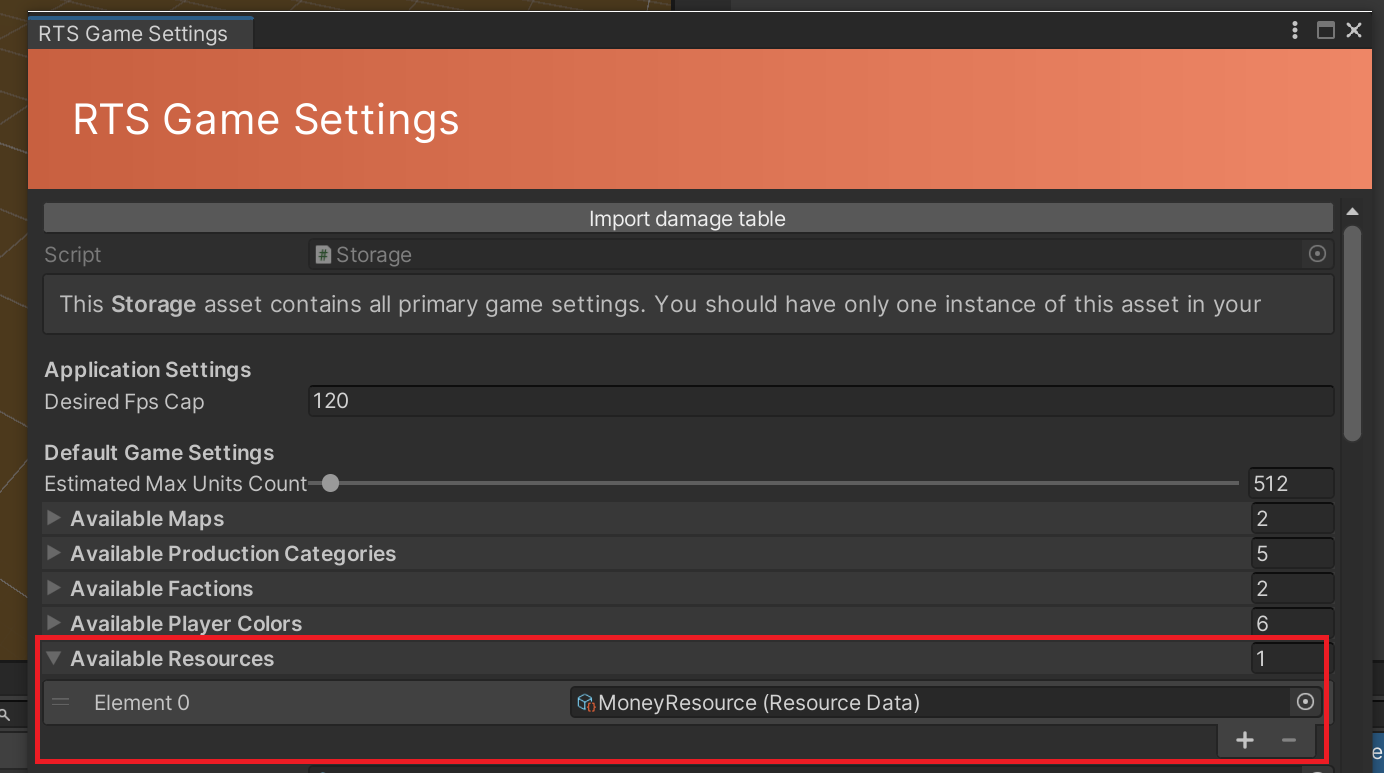
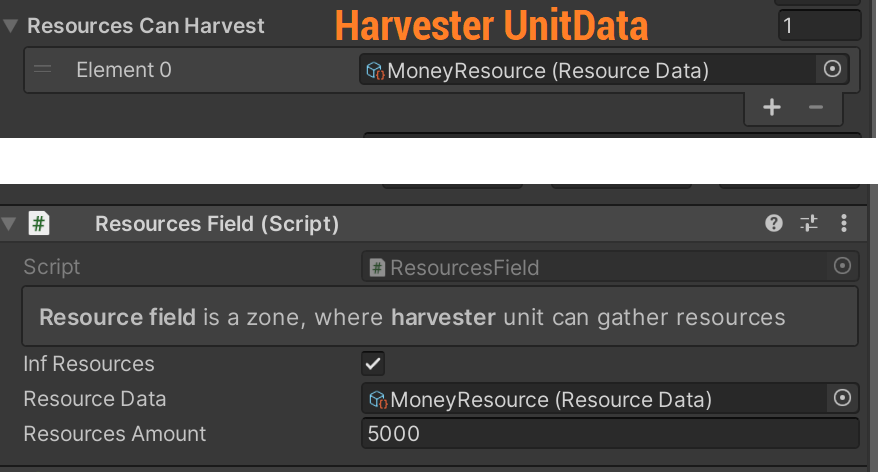
Now you can use your resource data in different asset settings by simply linking your created ResourceData asset in the fields:
How to use Resource system from code
Note
More info about this will be added to the Scripting API and Programming partitions soon.
Player class contains these methods to work with resources:
// to get resource id, use method resourceData.GetResourceId()

public void SetResource(string id, int amount)
public int GetResourceAmount(string id)
public void AddResource(string id, int amount)
public void SpendResource(string id, int amount)

// etc.